
RCA, cinch or phono: what is it and what should you look out for?
Published on Wednesday 30 September 2026

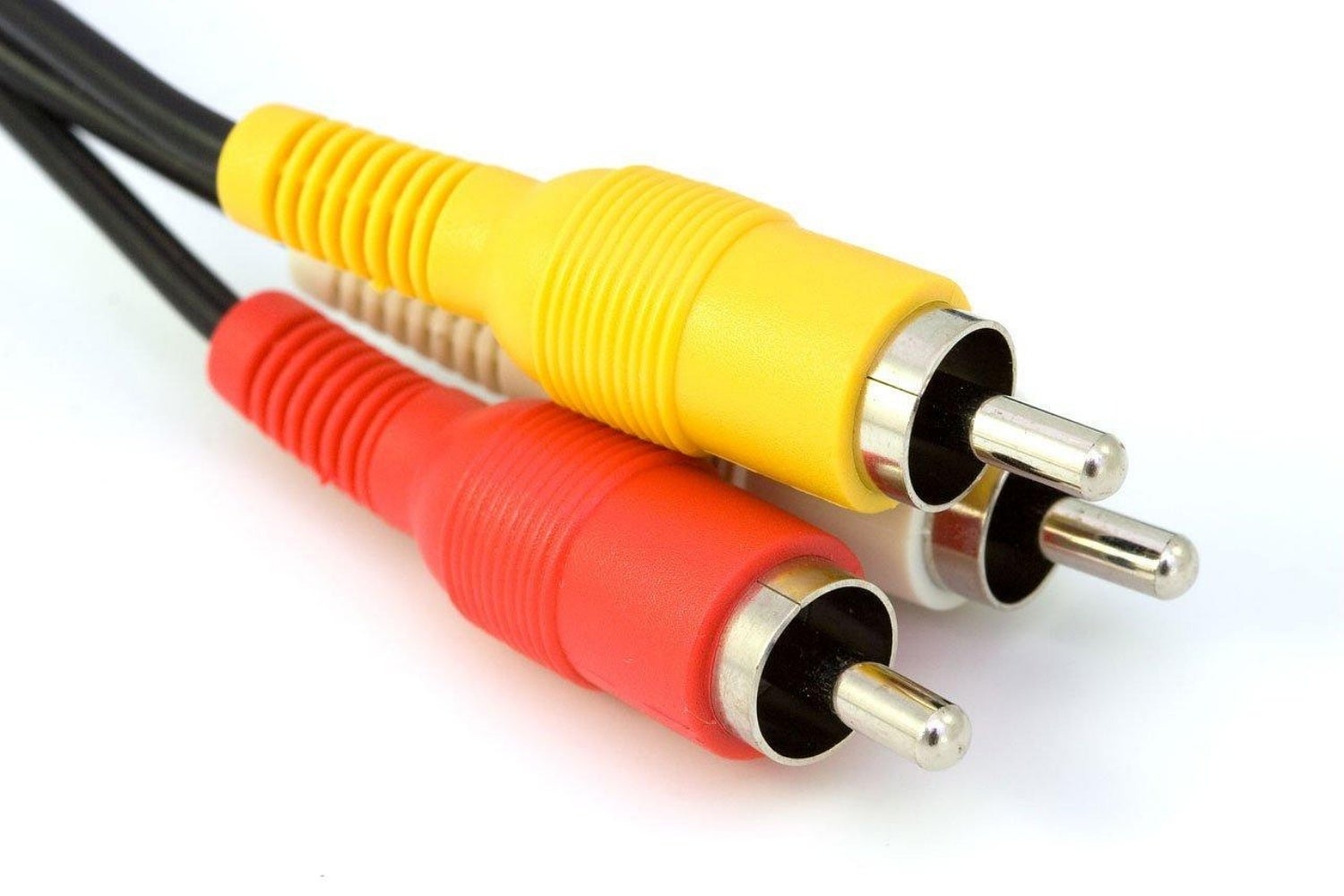
RCA, cinch, phono: you’ll see these names used interchangeably, but they all refer to the same plug with a single pin in the centre and a ring around it. Simple enough, right? Until you need an adapter or want to go digital. In short, RCA is a simple, unbalanced connection carrying one signal per plug, and almost everything you need to know follows from that.
RCA, cinch or phono: all the same plug
Yes, they’re all the same thing. RCA stands for Radio Corporation of America, the company that introduced the connector. Cinch and phono are simply other names for exactly the same connector. Which name someone uses is mostly a matter of habit.
Its defining feature is its simplicity. The centre pin carries the signal, and the ring around it is the ground. Inside the cable, this means a single signal core surrounded by shielding. It also means one signal per plug. So if you want stereo, you’ll need two. That’s why RCA cables are often joined together in pairs.
Red, white, yellow and the digital variant
The best-known colour code is simple: yellow is composite video, while red and white are the right and left channels of a stereo signal. If you see other colours, check the label next to the socket on your device. It tells you what goes where.
Then there’s the digital version. A coaxial S/PDIF connection uses the same RCA plug, but no analogue audio passes through it. Instead, it carries a digital data stream. For this, ideally choose a cable built to 75 ohms, such as a good video cable. (If an S/PDIF connection isn’t coaxial, it uses Toslink: an optical connection with its own special cable and connector.)
And what if you choose the wrong connection? The plug fits everywhere, so you can always plug it in. What matters is which signal comes out and where it goes in. Plug a digital coax output into an analogue input and you won’t hear music, just extremely loud noise. That input doesn’t know it’s receiving data, so it simply amplifies the data stream as if it were audio. This can damage your speakers, especially the tweeters. The other way round, you simply get nothing.
» View all coaxial cables
» View all RCA audio/video cables
» Use the Interactive Cable Buying Guide
 This isn’t RCA, but a jack cable: the large 6.3 mm version in a stereo/TRS configuration
From record players to games consoles, and still everywhere
As far as we know, RCA introduced the plug in the 1940s. Its purpose was modest: connecting a mono record player to an amplifier and making connections inside the company’s own radiograms. When the video recorder took off in the second half of the 1970s, BNC was used at first, but the cheaper RCA connector took over. That’s how it ended up on analogue TVs, DVD players, AV receivers and games consoles.
So why do you still see it today? RCA is the flathead screwdriver of the audio world: not the cleverest design, but everyone has one and it fits almost everywhere. Many stereo amplifiers don’t have a single digital output, but they do have RCA connections. Modern audio interfaces also often still have RCA line outputs. That’s its big advantage: simple and supported everywhere.
The downside lies in that very simplicity. With only two contacts, RCA is unbalanced: any interference the cable picks up along the way travels straight through to the input. With a metre of cable between your record player and amplifier, you’ll hardly notice. But the longer the cable and the more power cables and equipment around it, the greater the chance of hum and noise.
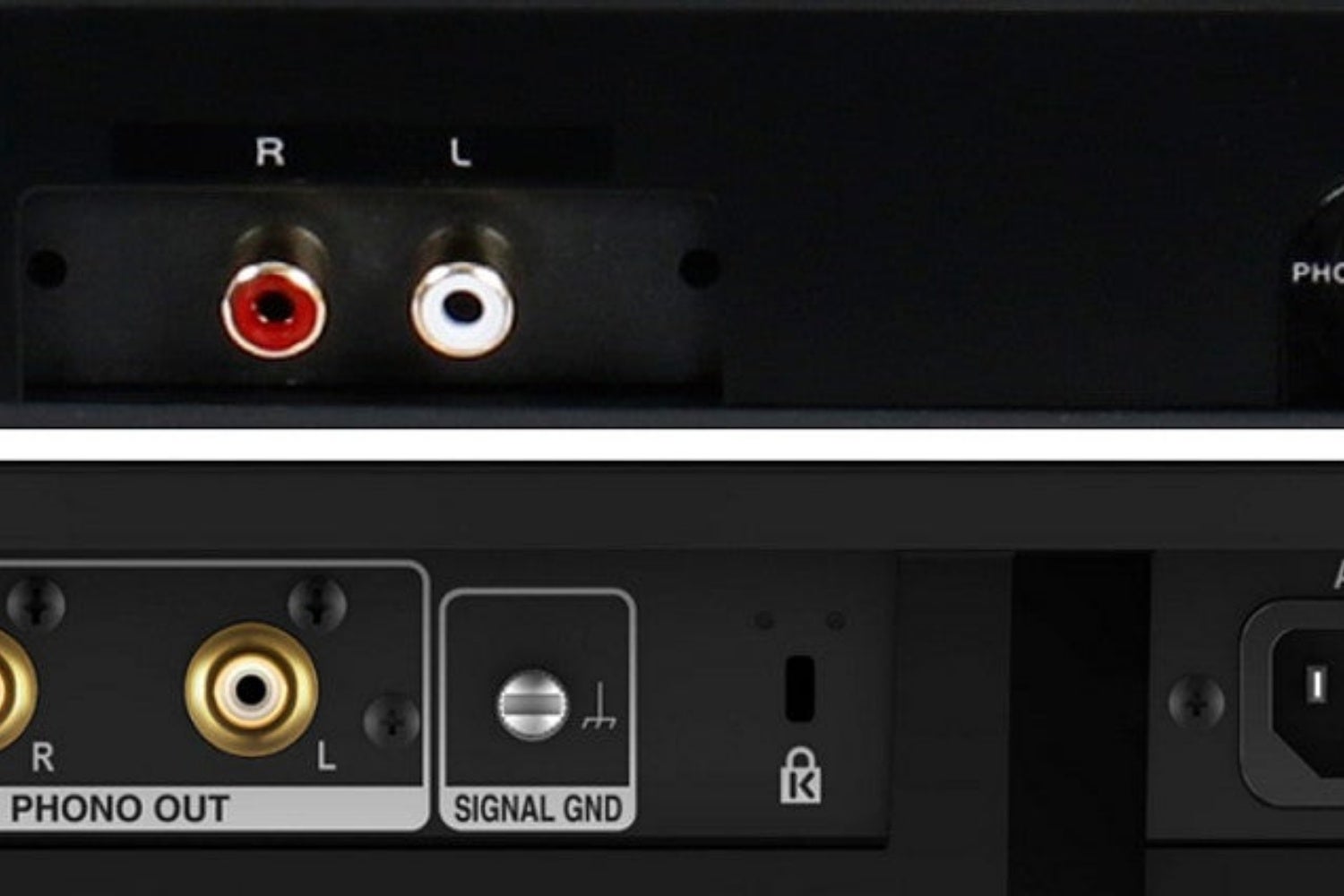
As for record players: if you have a hi-fi amplifier with a dedicated turntable input (usually labelled ‘phono’), it uses standard RCA connectors, but the amplifier does expect a genuine phono signal from a record player. Any other device won’t sound right when connected to it. Conversely, a record player with a phono output won’t sound right on regular RCA inputs. However, this doesn’t apply to record players with standard line-level outputs.
» Connecting a record player to an amplifier or speakers
Need an adapter cable? Watch the balance and level
An adapter from RCA to XLR or 6.35 mm jack is easy to find. But keep one thing in mind: an adapter doesn’t make a signal balanced. Putting a different connector on your garden hose doesn’t change the water that comes out either. The signal stays unbalanced, because the RCA end only has two contacts.
Unlike RCA cables, balanced connections use three conductors: two for the signal and one for the ground. This is usually done via an XLR connector or a TRS jack connector. Technical explanation: the sending device outputs the signal twice: once normally, and once as a copy with inverted polarity. The receiving device takes in both signals separately, flips the polarity of the copy back again and combines the two. The result of this clever trick is that the original signal becomes twice as loud, while any unwanted noise picked up by the two conductors along the way cancels out. By the way, this only works if both your output and input are balanced. The cable does nothing on its own.
TRS plugs are sometimes also used to carry stereo signals, for example with headphones. In that case, the signal isn’t balanced. So if you want to adapt a headphone output to RCA, you’ll need an adapter cable or plug from stereo jack (i.e. TRS) to two RCA plugs. If you want to adapt a regular TS cable (that’s mono / unbalanced), you’ll need an adapter from TS to a single RCA plug.
If the sound is too quiet or too loud (distorted), it’s worth checking the level of the connection. Line level comes in two flavours: -10 dBV, roughly 316 millivolts, and +4 dBu, roughly 1.23 volts. Connect a -10 output to a +4 input and it will sound too quiet. The other way round, the input may overload. A microphone input expects an even weaker signal, which first has to pass through a preamp. So an RCA line output doesn’t belong there.
» View all jack-RCA adapter plugs and cables
» View all XLR-RCA adapter plugs and cables
» What are the best audio cables for me?
» Balanced and unbalanced connections explained
 Want to turn LPs into MP3s? Here’s How to Digitise Your Vinyl
 Balanced and Unbalanced Connections (Finally) Explained
 Playing Keys in a Band: What You Need to Know
 Setting Up the Band with a PA System? Here’s What You Need to Know
 The Hammond Organ: A Classic
 The Mixer: Functions & Connections Explained
No comments yet...