

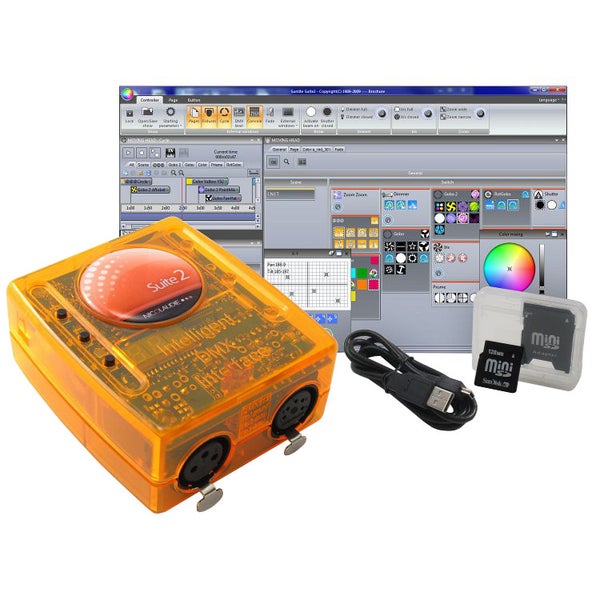

Sunlite Suite 2 First Class DMX software package and interface
Beste Baxshop-klanten,
Toen ik het geïnstalleerd had en aan de gang wou gaan was het net alsof ik wegzakte in het drijfzand... ik snapte echt nul van! Maar nu ik het na een paar dagen ploeteren een beetje door aan het krijgen ben is het een eitje om de mooiste en overzichtelijkste lichtshows te maken!
Wat ik wel aanraad als je dit gaat aanschaffen is om de Elation Midicon erbij te bestellen en deze tutorial te gaan bekijken :
http://www.youtube.com/watch?v=igYSRwXomJ8&list=PLNiKIPA4OoHYktx50eSNJkKDZabFaCMMV
Verder een perfecte investering voor je discotheek of de grotere Drive-in show.
Met vriendelijke groet,
Tim
Toen ik het geïnstalleerd had en aan de gang wou gaan was het net alsof ik wegzakte in het drijfzand... ik snapte echt nul van! Maar nu ik het na een paar dagen ploeteren een beetje door aan het krijgen ben is het een eitje om de mooiste en overzichtelijkste lichtshows te maken!
Wat ik wel aanraad als je dit gaat aanschaffen is om de Elation Midicon erbij te bestellen en deze tutorial te gaan bekijken :
http://www.youtube.com/watch?v=igYSRwXomJ8&list=PLNiKIPA4OoHYktx50eSNJkKDZabFaCMMV
Verder een perfecte investering voor je discotheek of de grotere Drive-in show.
Met vriendelijke groet,
Tim
October 30, 2013
|
Tim O.
This review was automatically translated from Dutch.


