Based on more than 21,240 customer reviews

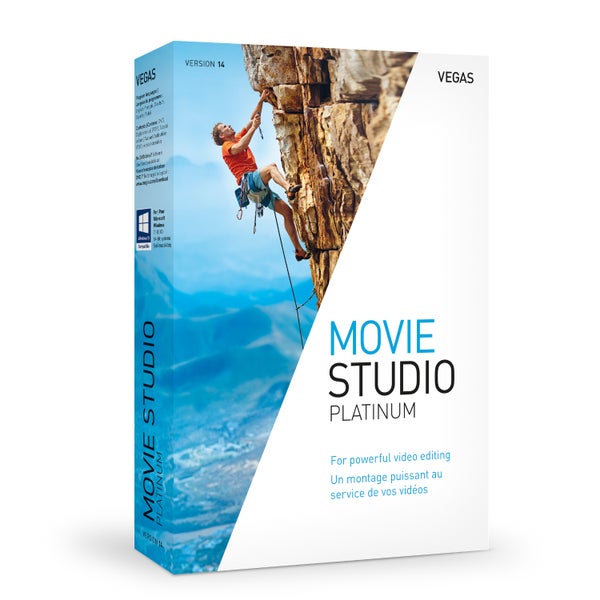
Vegas Movie Studio 14 Platinum video editing software

Discontinued, this product can no longer be ordered.

No alternatives found
Vegas Movie Studio 14 Platinum video editing software
Product no: 9000-0033-0792 Bax Music Warranty: This product comes with a manufacturing defects warranty.

General

With Magix' VEGAS Movie Studio 14 Platinum video editing software, you can create professional-quality films at a price that's far less than you'd pay for going to film school. Movie Studio has always been easy to use and because this version is no exception, you'll be knocking out blockbusters in no time! An understanding of the timeline function is the only thing you really need to get started. Audio editing works in exactly the same way as video editing, meaning it's just as easy to add sound to your footage as it is to put that together.

New in VEGAS Movie Studio 14 Platinum

The Platinum version adds a few extras on top of the features you get with the basic version. That means as well as the new interface, support for 4K, the vignette effect and Music Maker (that allows you to create your own soundtracks), you get the fantastic NewBlueFX transitions. These make the difference between a typical home video and a professional-looking production.

Specifications

Product features

3D (stereoscopic) no
Physical or download physical
Suitable for operating system Microsoft Windows

Weight and dimensions including packaging

Weight (incl. packaging) 105 gr
Dimensions (incl. packaging) 19,0 x 13,5 x 3,5 cm

Product specifications

  • VEGAS Movie Studio 14 Platinum
  • video editing software
  • user-friendly and intuitive
  • professional possibilities
  • new in Movie Studio 14:
    • updated interface
    • upload to social media
    • vignette effect
    • 4K monitor support
    • Music Maker
    • multicam production
    • trimmer window hover scrub
    • improved RAM preview
    • NewBlueFX transitions
  • supported formats:
    • import: AAC, AA3, AVI, BMP, MPEG-1, MPEG-2, MPEG-4, WMV, AIFF, FLAC, MP3, OGG, PCA, SND, W64, WAV, WMA, GIF, JPEG, PNG, WDP, CDA, SFA
    • export: AVC/AAC, AVI, MPEG-2, MPEG-4, WMV, MOV, AVCHD, RM, MVC, XAVC S, AAC, AIFF, FLAC, LPEC, MP3, OGG, PCA, W64, WAV, WMA, BMP, JPEG, PNG, TIFF, WDP, WMPhoto, DDS, DPX, EXR
  • system requirements:
    • OS: Windows 7, 8, 8.1, 10 (64-bit)
    • CPU: 2 Ghz (multicore/multiprocessor for HD or stereoscopic 3D)
    • free disk space: 1.25 GB
    • 2 GB (4 GB or more recommended)
    • USB 2.0 connector for connecting cameras
    • video memory: 512 MB
    • NVIDIA, AMD or GPU video chip
    • DVD-ROM drive for installation
    • CD/DVD/BR burner (only necessary if you want to burn CDs/DVDs/BRs
A review can no longer be written about this item

Reviews from other countries

Translate all reviews into English

Vegas Movie Studio 14 Platinum video editing software

Wrote the following about Vegas Movie Studio 14 Platinum video editing software
Aanrader,

Dit is een hele goede software om videos mee te bewerken.
Vegas Movie Studio 14 Platinum video editing software

Wrote the following about Vegas Movie Studio 14 Platinum video editing software
Perfect om zelf je video's te bewerken.
Vegas Movie Studio 14 Platinum video editing software

Wrote the following about Vegas Movie Studio 14 Platinum video editing software
Heel goed kwaliteit!

Perfect!!!

Is zeker aan te raden.

Kan je veel op doen!

Magix Announces VEGAS Movie Studio 14

Tuesday 28 February 2017 By Richard | Bax Music

Nowadays, things are being captured on film more than ever before, if not with a dedicated camera, then with a phone, tablet, computer or even a drone! Of course, it's always nice to be able to edit your footage afterwards to make the best of it. You don't even need expensive equipment to that these days. All you need is a PC with Windows and Magix' VEGAS Movie Studio 14!

Read more…
Compare your gear (1/10)