


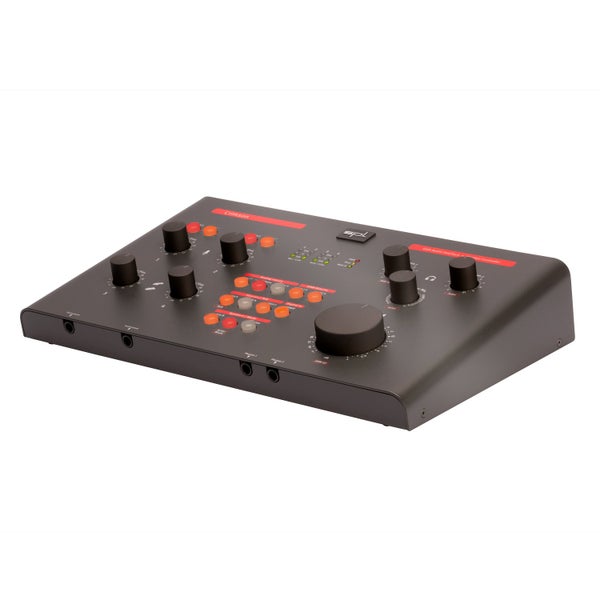

SPL Crimson audio interface and monitor controller
Ik heb de Crimson gekocht als opvolger van de Mackie Big Knob. Het is een stevige, mooi afgewerkte unit die degelijk zwaar is en praktisch opgezet. Hij heeft meer knoppen dan de Big Knob, maar dat valt niet op door de rustige vormgeving. Hij heeft XLR uit, wat ik prefereer, helaas heeft de tweede uitgang weer jack. Ik vind het belangrijk om op verschillende monitors te mixen en gebruik deze uitgang met een verloopkabel. De Crimson heeft additioneel digitaal in. Dat het ook een geluidskaart is, is voor mijn een bonus. Ik heb de Crimson op klank vergeleken met de Big Knob, M-Patch 4M en de Nano patch. De Crimson klinkt dan helderder, rustiger en warmer. Doordat hij warmer klinkt dan de Big Knob kan het qua timing minder exact overkomen dan de Big Knob. Doordat ik lange kabels had naar mijn monitors klonk de passieve M-patch niet mooi, dat komt met passieve ontwerpen best nauw. En bovendien heeft de volume control daarvan maar 10 standen. Plus, de bediening is raar. De Nano Patch doet niets anders dan volume control op een in- en uitgang, maar doet dat best goed. Wel is het belangrijk om de manual goed te lezen. Om de unit geschikt te maken voor musici hebben ze dingen soms iets raar gedaan voor een geluidsingenieur zoals ik. Zoals een soort mengknop tussen de 'live' ingangen zoals mic, instrument en line, en de playback ingangen zoals DAW, digitaal, cinch, mini-jack. Gewoon in het midden laten en het werkt prima. En de meters werken alleen op de live ingangen, datis een echt gemis. ik had heel graag sig present indicatoren gehad op de bussen. Dan weet je of een ingang signaal krijgt, dat is voor mobiel gebruik wel zo handig. Ook moet je weten dat het microfoon of lijn in is voor ingang 1 en 2, en instrument of lijn in voor ingang 3 en 4. Dat is een hele zinnige keus. Al met al is het de beste controller die ik kon vinden met deze functies.
Pluspunten:
+mooie klank (beste klank in zijn klasse)
+rustig en mooi vormgegeven
+grote verscheidenheid aan ingangen, analoog en digitaal
+zeer goede geluidskaart
+192 kHz
+degelijk en mooi gebouwd
+veel mogelijkheden in een compacte kast
+SPL
minpunten
-Weinig signaalindicatoren
-externe voeding
-niet buspowered
-wat kinderachtige symbolen voor instrument en mic
-artists' mode zit de engineers' mode in de weg
-je moet de gebruiksaanwijzingen lezen
Pluspunten:
+mooie klank (beste klank in zijn klasse)
+rustig en mooi vormgegeven
+grote verscheidenheid aan ingangen, analoog en digitaal
+zeer goede geluidskaart
+192 kHz
+degelijk en mooi gebouwd
+veel mogelijkheden in een compacte kast
+SPL
minpunten
-Weinig signaalindicatoren
-externe voeding
-niet buspowered
-wat kinderachtige symbolen voor instrument en mic
-artists' mode zit de engineers' mode in de weg
-je moet de gebruiksaanwijzingen lezen
November 23, 2015
|
Mark D.
This review was automatically translated from Dutch.


